Pay attention to the description of the parameters payment_url_success_id / payment_url_fail_id/ payment_url_pending_id and success_url / fail_url / pending_url.
To use payment_url_success_id / payment_url_fail_id / payment_url_pending_id you need to send the URLs to Paykassma support and use the received IDs in the parameters.
To use success_url / fail_url / pending_url you must use hashing URLs (For more details on hashing click here).
For the description of all the plug-in parameters click here.
API integration
Creating payment
URL: https://api.{server_URL}/api/v1/transaction/create/sinpemovil?secret={pluginapi_secret}
At this stage, we provide the details of the wallet to which the user must make a payment.
Request method:POST
Format:
JSON
Parameters:
Name | Type | Required | Max Length | Description |
| currency | string | yes | 3 | Currency code. |
label | string | yes | 190 | The unique identifier (ID) of the user who makes the payment. |
{
  'currency': 'CRC',
  'label': 'eligendi'
}
{
    "status": "ok",
    "params": {
        "identifier": "81354111",
        "is_check_amount": true
    }
}
{
    'status': 'fail',
    'message': 'MESSAGE'
}
Activation request
URL: https://api.{server_URL}/api/v1/transaction/activate?secret={pluginapi_secret}
At this stage, the user sends the transaction number, which you send to Paykassma for activation.
Request method:
POST
Format:
JSON
Parameters:
Name | Type | Required | Max Length | Description |
| currency_code | string | yes | 3 | Currency code. |
wallet_type | string | yes | 190 | Method (Payment system). |
| label | string | yes | 190 | The unique identifier (ID) of the user who makes the payment. |
| key1 | string | yes | 28 | Transaction number received from the user. Length from 19 to 26 digits. |
| amount | float | yes | 256 | Amount of transaction. |
| custom_transaction_id | string | yes | 190 | Transaction ID in the Client's system. Must be unique. |
{
    "currency_code": "CRC",
    "wallet_type": "sinpemovil",
    "label":"user",
    "key1": "56309385895898488688",
    "amount": 450,
    "custom_transaction_id": "123465477897"
}
{
    "status": "ok",
    "deposit": true,
    "deposit_amount": 450,
    "currency": {
        "code": "CRC",
        "symbol": "CRC"
    }
}
{
    "status": "possible_transaction_created",
    "message": "Transaction not found. Possible transaction created"
}
{
    "status": "fail",
    "message": "MESSAGE"
}
Deposit postback
For the general documentation on post backs click here.
Example of a deposit postback for a Sinpe Movil
The Paykassma server is waiting for a response in json {"status": "ok"} response code 200, otherwise, when receiving a different response, Paykassma will forward the postback with a certain frequency.
Repeated postbacks must also be answered with {"status":"ok"} response code 200.
Withdrawals for users
For the general documentation on the withdrawals of funds click here.
Creating withdrawal
URL: https://api.{server_URL}/v2/withdrawal/create
Request method:
POST
Format:
JSON
Parameters:
Name | Type | Required | Description |
| withdrawal_id | string | yes | Withdrawal ID, if the parameter is not passed, then the system generates withdrawal_id. |
| payment_system | string | yes | Payment system. |
| amount | numeric | required | Additional requirements:
|
| currency_code | string | yes | Currency code. |
label | string | yes | The unique identifier (ID) of the user who makes the payment. |
| account_number | string | yes | The user's account number (8 digits). |
| account_name | string | yes | Name and Surname of the account holder. |
is_test | boolean | yes | The is_test parameter possible values:
|
| signature | string | yes | Signature generated with private_key. |
{
  "withdrawal_id": "test12d2345678",
  "payment_system": "sinpemovil",
  "amount": 5000,
  "currency_code": "CRC",
  "label": "testuser",
  "account_number": "76512163584",
  "account_name": "Account Name",
  "is_test": false,
  "signature": "1971080e38149f0e22cc2bc53f29b387705fb780"
}
{
    "status": "ok",
}
{
    "status": "fail",
    "message": "MESSAGE"
}
*If, when trying to create a withdrawal request, the amount of account balances in the currency of the request is less than the total amount of new and still incomplete applications, the error message"Insufficient balance" will be displayed (to configure this functionality, contact the TS Paykassma).
{
    "status": "fail",
    "message": {
        "withdrawals_sum_amount": [
            "Insufficient balance"
        ]
    }
}
Example of a withdrawal postback for a Sinpe Movil
The Paykassma server is waiting for a response in json {"status": "ok"} response code 200, otherwise, when receiving a different response, Paykassma will forward the postback with a certain frequency.
Repeated postbacks must also be answered with {"status":"ok"} response code 200.
Withdrawal statuses
ID | Name | Description |
|---|---|---|
1 | PROCESSED | Status for withdrawal when the withdrawal request has been successfully processed. |
5 | REJECTED | Status for withdrawal when the withdrawal request was rejected. |
Creating withdrawal request in Paykassma BO
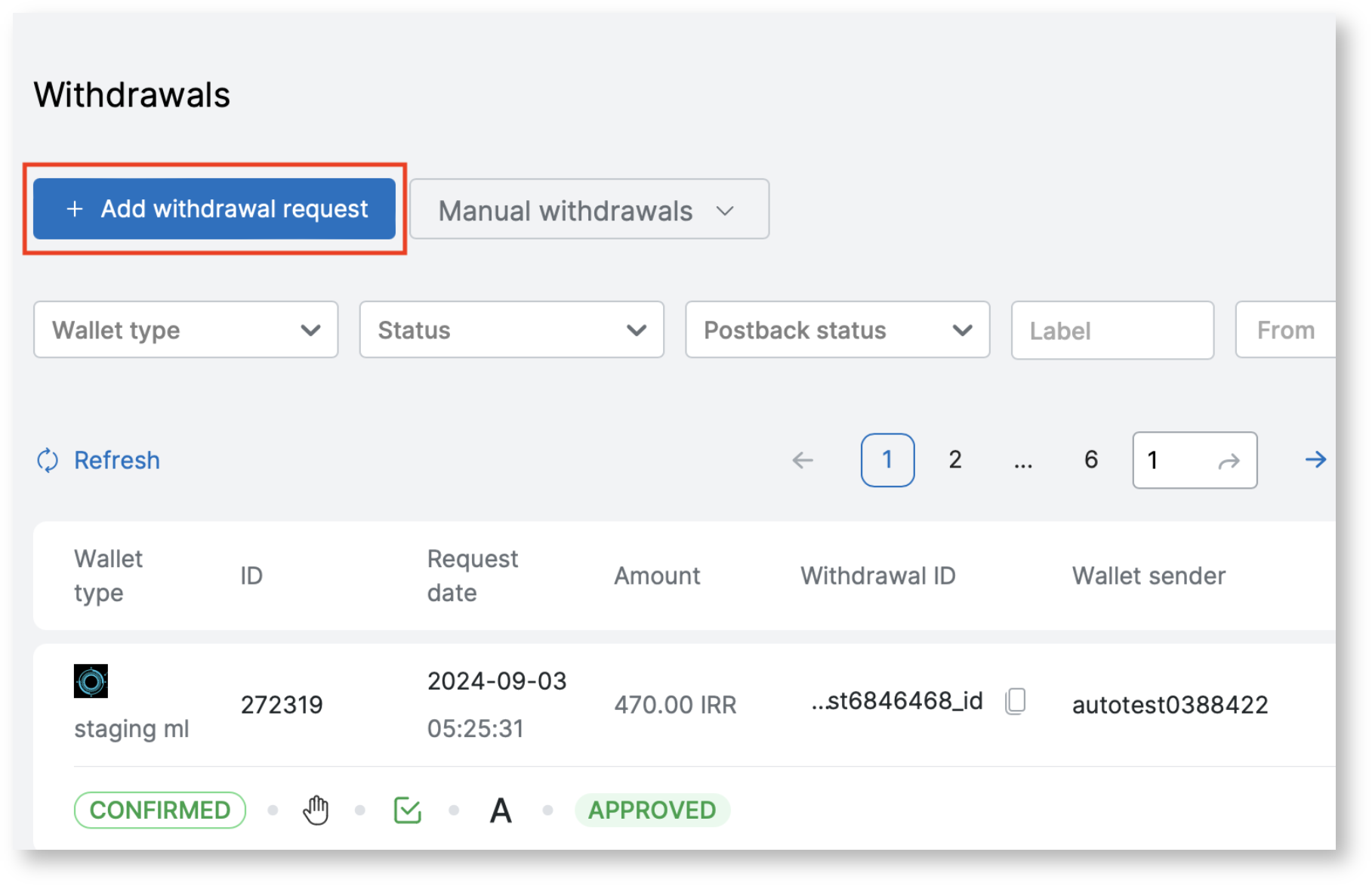
To create a withdrawal request, you need to go to the Withdrawals page Payments → Withdrawals and perform the following steps:
- Press the button "Add withdrawal request".
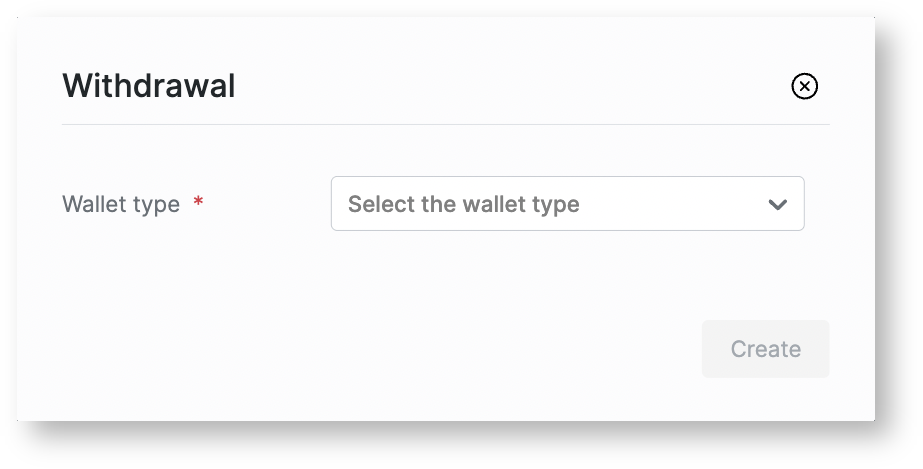
- Select payment system from list.
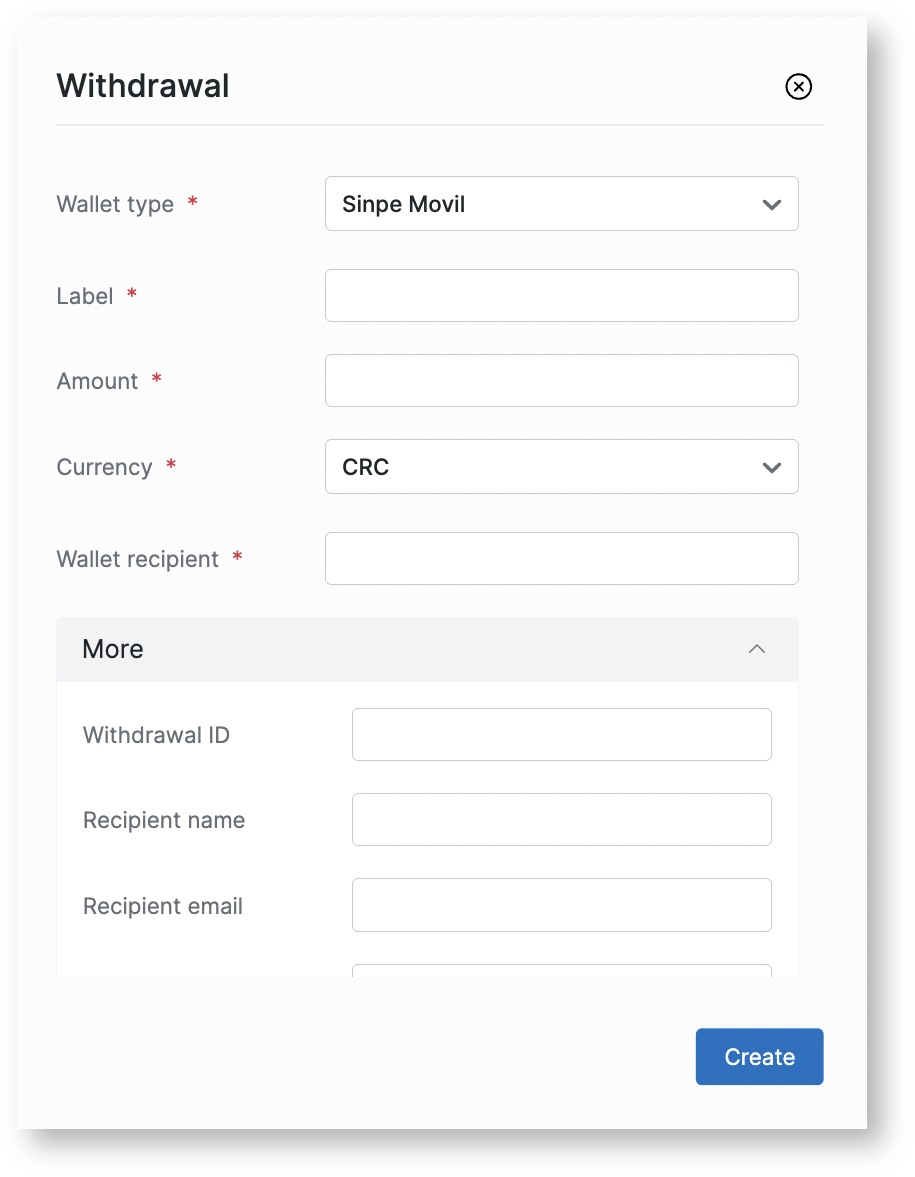
- Fill in the fields to create the request in the next window (the list of fields is standardized and not all fields are required. To create a request for a specific PS, you should fill in the required fields for this PS).
Required fields for Sinpe Movil withdrawal:
- Label (user ID);
- Amount;
- Currency;
- Wallet recipient;
- Recipient name.
- After payment the withdrawal status will change.
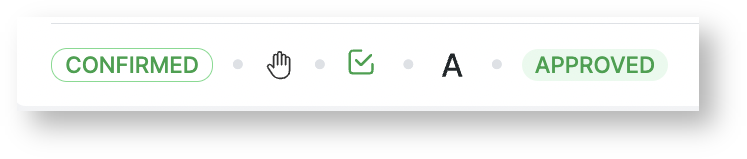
Paykassma does not send postback for withdrawals created manually.